Loading data on incoming/outgoing parcels "Nova Poshta" for "BAS" configurations
UAH 5 000 and more
Allows loading information about incoming and outgoing parcels; shipment statuses are updated in the list of undelivered parcels. Does not include the functionality for creating or sending parcels.
Main integration features:
-
Automatic loading of information about incoming and outgoing shipments from “Nova Poshta”;
-
Support for multiple “Nova Poshta” accounts (directory “Senders”);
-
Linking a parcel to a customer order in the accounting system;
-
Periodic status updates every few minutes, plus the option to start manually;
-
All data is displayed in the “BAS” system with reference to source documents (Customer Order, Supplier Order), without manual entry.
Implemented for configurations:
-
BAS Small Business;
-
BAS Accounting. PROF;
-
BAS Accounting. CORP;
-
UTP. Enterprise Management.
Main functionality features
The subsystem includes a “Senders” directory that allows working with multiple “Nova Poshta” accounts.
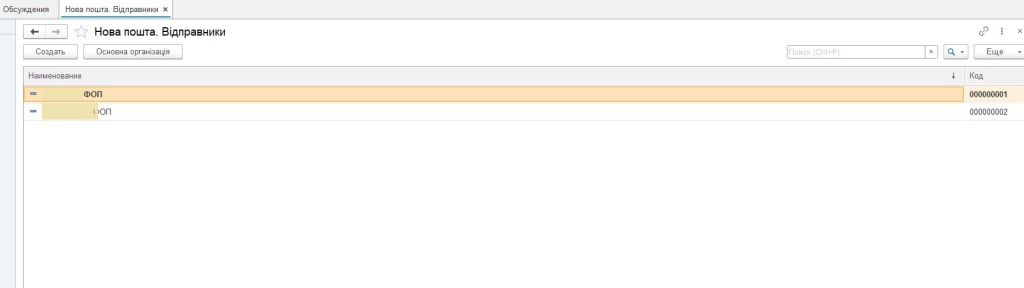
Fig. 1. List of “Nova Poshta” accounts.
The directory element specifies an API key from the “Nova Poshta” business cabinet and a list of organizations available for work with this account.
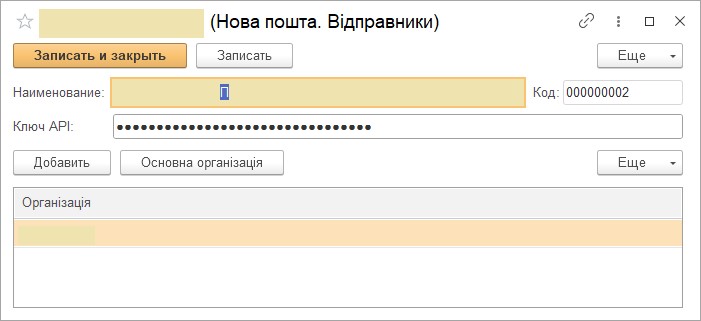
Fig. 2. Account settings.
After configuring the accounts, the subsystem is ready for operation. The main list of “Nova Poshta” documents displays information received via HTTP requests to the “Nova Poshta” API. The document list mirrors the data about sent and received parcels from the “Nova Poshta” business cabinet.
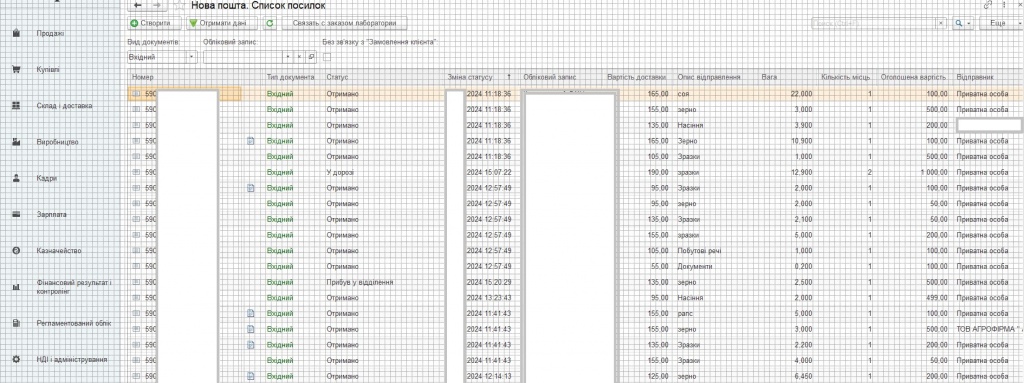
Fig. 3. List of parcels.
The subsystem includes a scheduled task that periodically retrieves information about new parcels and updates statuses of existing ones. “Nova Poshta” limits the data retrieval period to 15 days. Additionally, the task can be triggered manually from the list form, either for a specific account or for all accounts.
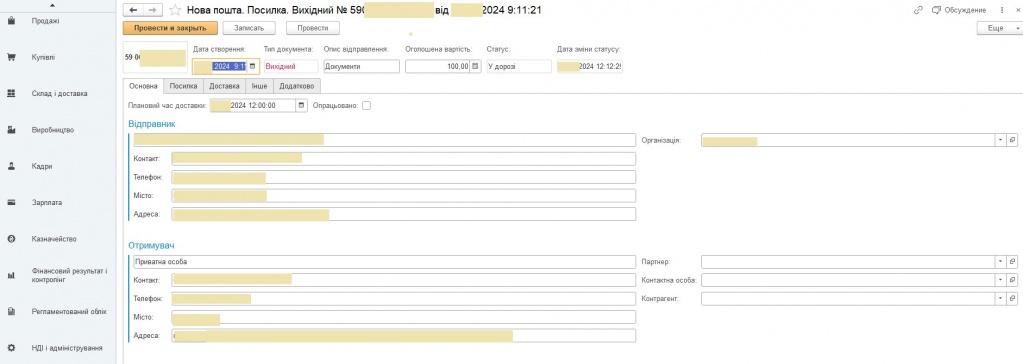
Fig. 4. Initial page of the “Parcel” document.
The document reflects data displayed in the “Nova Poshta” cabinet document, allowing users to define information required for further processing in the accounting system.
When loading data from “Nova Poshta”, the subsystem analyzes sender information and attempts to identify it by phone number or company code (EDRPOU), if the sender is a registered counterparty in “Nova Poshta”.
If the contact person exists in the accounting system and is linked to only one partner/counterparty, this contact person is automatically assigned to the document. However, the user can manually adjust the accounting data if needed.
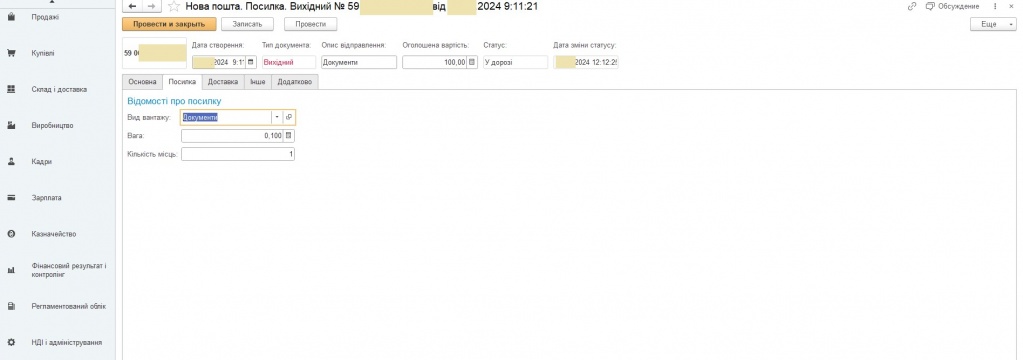
Fig. 5. “Cargo Information” page of the “Parcel” document.
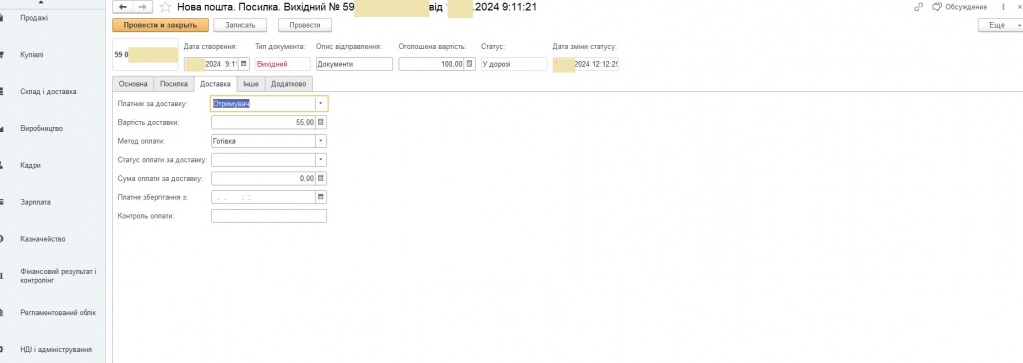
Fig. 6. “Delivery” page of the “Parcel” document.
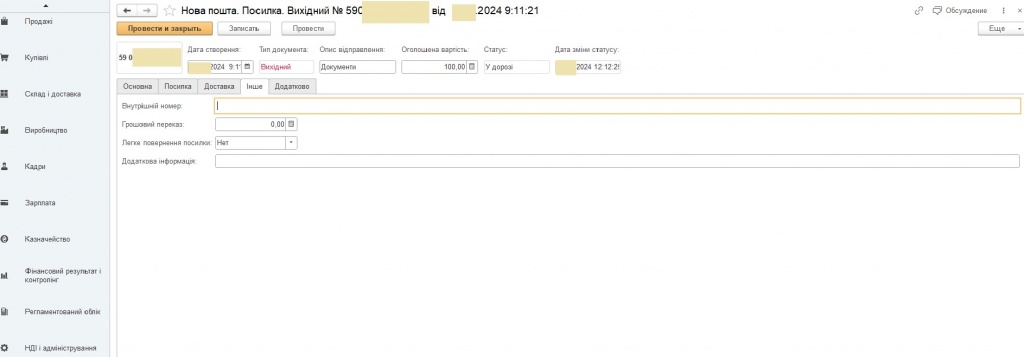
Fig. 7. “Other” page of the “Parcel” document.
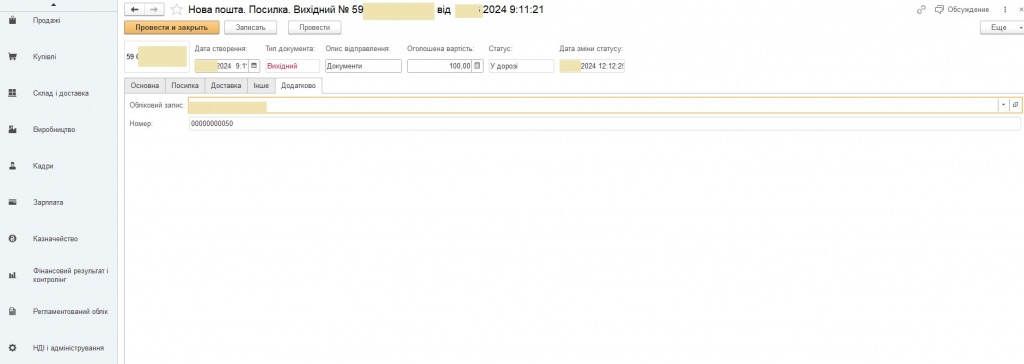
Fig. 8. “Additional” page of the “Parcel” document.
If a “Customer Order” document exists in the accounting system for the specified counterparty, and no realization documents (such as “Service Act” or “Goods Issue Note”) are yet created for it, then the “Parcel” document is automatically linked to that “Customer Order”.
In the “Parcel” document list, this link is marked with  .
.
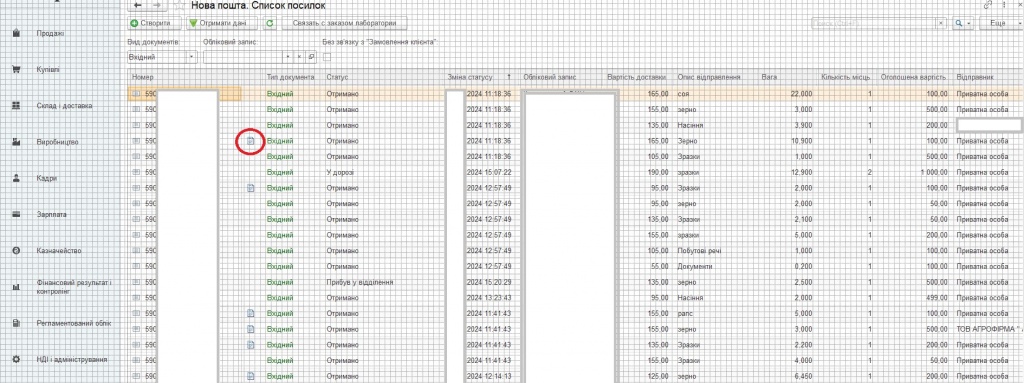
Fig. 9. List of documents linked to the “Customer Order” document.
In the “Customer Orders” document list, this link is also displayed in the parcel list.
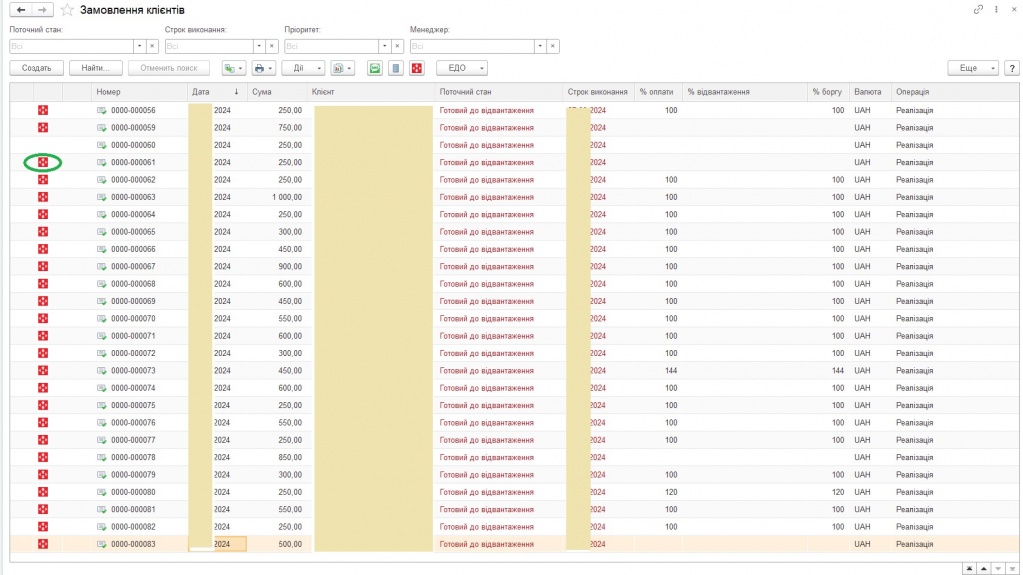
Fig. 10. “Customer Orders” list linked to the “Parcel” document.
Clicking these icons opens the corresponding linked documents.
LLC "NCT"
www.nct.ua
info@nct.ua
Register if not registered and log in to add a review.
Add review
- Comments
Loading comments...